
UtilitiesOn-device AIiPhone · iPad · Mac

VOID
Have storage under control.
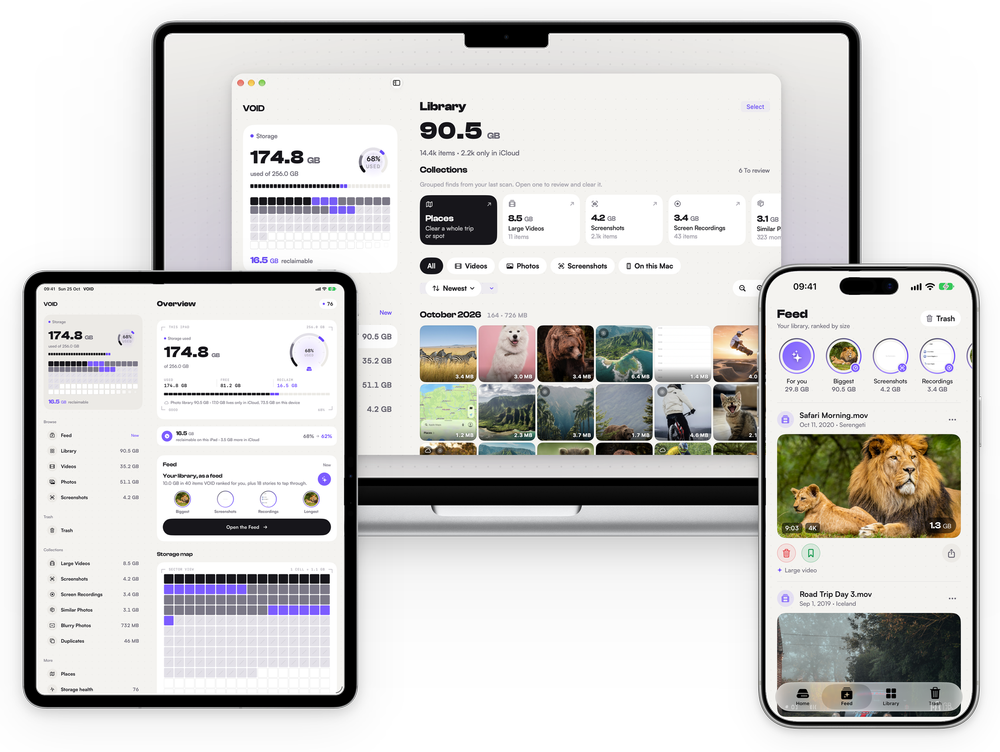
VOID turns your photo library into a feed, ranked by how much space each photo and video takes. Trash or keep with one tap, then empty one Trash when you’re ready. It feels like scrolling, not doing chores.
- No ads
- No tracking
- No accounts
Available for iPhone, iPad and Mac
500MB
of cleanup free, with the full scan included
30
days in Recently Deleted after you empty the Trash
0
photos or videos uploaded. Everything runs on device
1
Trash, emptied only when you say so
01In the app




02Features
- 01
Your library, as a feed
Photos and videos appear as posts ranked by size and how little you’ll miss them, each showing why VOID picked it.
- 02
Stories to tap through
Biggest, Screenshots, Recordings, Longest, Similar, Duplicates, Blurry, and one story for every year.
- 03
Similar and duplicates
VOID groups shots that look alike and suggests the sharpest one to keep. You make the final call.
- 04
Places on a map
Photos grouped into the trips and spots you remember, so you can clear a whole weekend in one pass.
- 05
iCloud vs this device
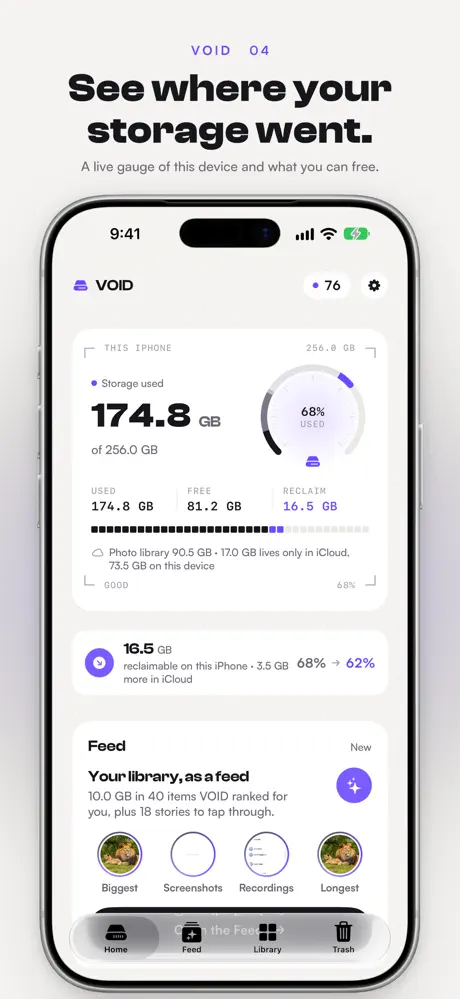
See what is stored here and what only lives in the cloud, so you know which deletions free space.
- 06
A live storage map
A drive gauge shows used, free and reclaimable space, and every cell in the map is a slice of your device.
03Nothing lost by accident
Nothing is deleted until you say so.
One Trash
Everything you trash waits in the Trash tab. Put anything back with one tap.
iOS asks once more
Emptying the Trash goes through the standard iOS confirmation.
30 days to change your mind
Deleted items stay in Recently Deleted for 30 days.
04Free & Pro
Free
The whole app, with a cleanup allowance.
- Full library scan
- Feed, stories, library grid and map
- Similar and duplicate detection
- 500 MB of cleanup
VOID Pro
Pay yearly, or once for lifetime access.
- No cleanup limit
- Everything in Free
- Still no ads, tracking or accounts
Photos and videos never leave your device, on any plan.
VOID for iPhone, iPad and MacFree up space today.
Scan your whole library for free.

Help & legal